Scheduled jobs
Automation › Scheduled tasks
Most of the lifecycle happens the moment a person is saved. What depends on a date rather than a change is done by jobs. Owl IDM ships with these; they are marked Built-in, and can be paused or rescheduled but not deleted or renamed.
The lifecycle jobs
| Job | Runs | What it does |
|---|---|---|
| Enable accounts on the entry date | Every day at 00:05 | Enables the accounts of people whose entry date has arrived, and any account left disabled while its owner says it should not be. |
| Deactivate leaving identities | Every day at 00:10 | Sets people whose leaving date has passed to Inactive, which disables their accounts and removes their groups. |
| Purge retired accounts | Every day at 00:20 | Deletes accounts whose retention period has run out. |
| Review accounts for orphans | Every day at 00:30 | Looks for accounts without an owner, with a deleted owner, or whose owner is no longer entitled to them. Reports only — it changes nothing. |
Each one works on what is due rather than what happens today, so a night the service was down is made up for on the next run.
Other built-in jobs
| Job | What it does | In a demo environment |
|---|---|---|
| SoD Expiry Check | Moves segregation-of-duties violations whose exception has expired into history, then checks again | Active |
| Detect SoD Violations | Scans everyone for segregation-of-duties conflicts and records new violations | Paused |
| Dynamic Roles Recalculation | Recalculates everyone's inherited roles — from their department and the departments above it, their employment and their location | Paused |
| Unassign business role get from shop order | Withdraws roles ordered for a limited time once that time is up | Paused |
| ActivateScheduledOrdersJob | Grants orders that were placed for a later date | Paused |
| CleanUpDepartmentUnmatchingRoles | Removes department roles from people no longer in that department | Paused |
Working with jobs
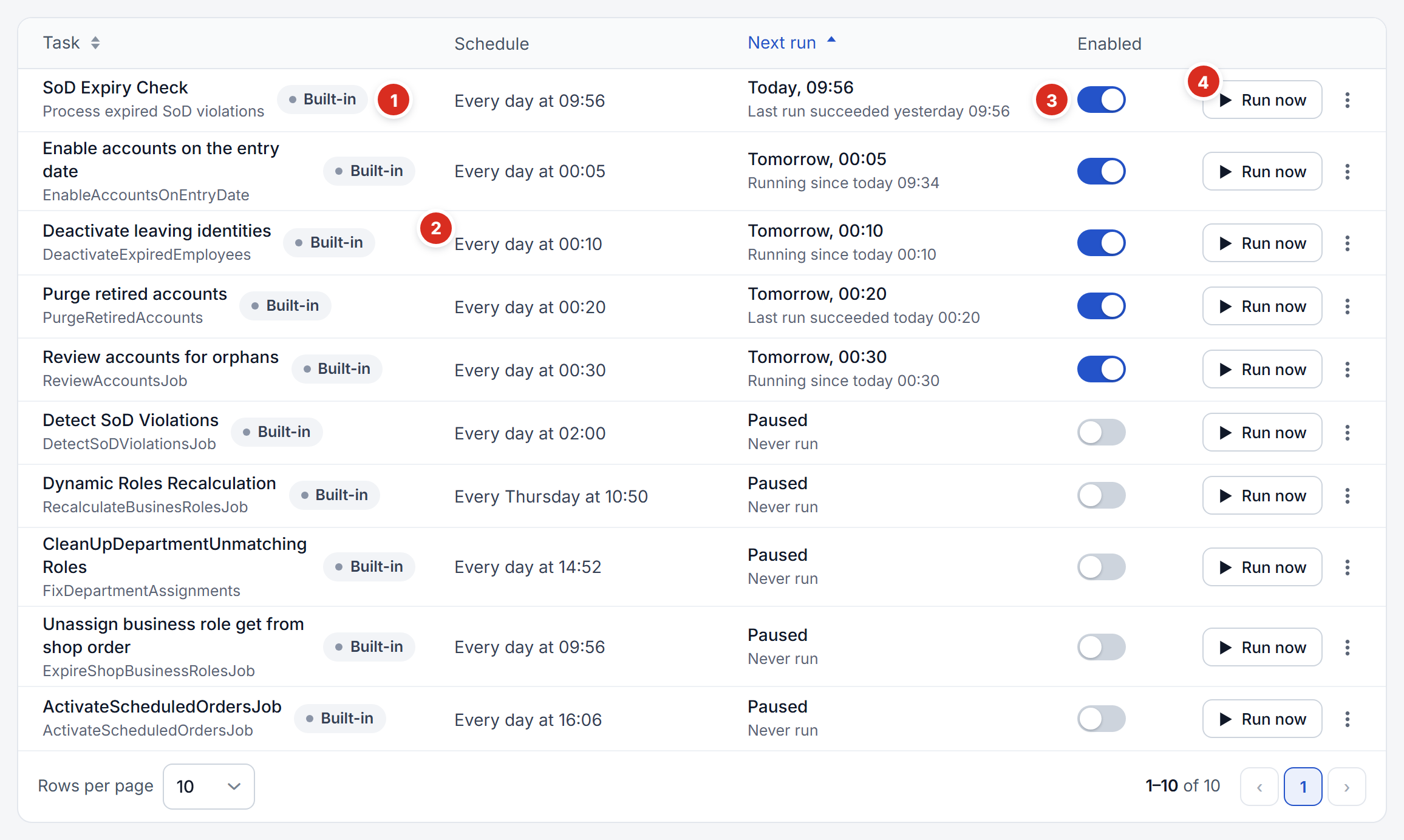
- Built-in — a job Owl IDM ships with: it can be paused or rescheduled, not deleted or renamed.
- Schedule — when it runs, in words. Next run beside it says when it runs next and how its last run went.
- The switch — pauses or resumes the job.
- Run now — runs it once, immediately, and records the result like a scheduled run.
The dashboard's Next 24 hours lists what will run, with what each job does.