Joiner
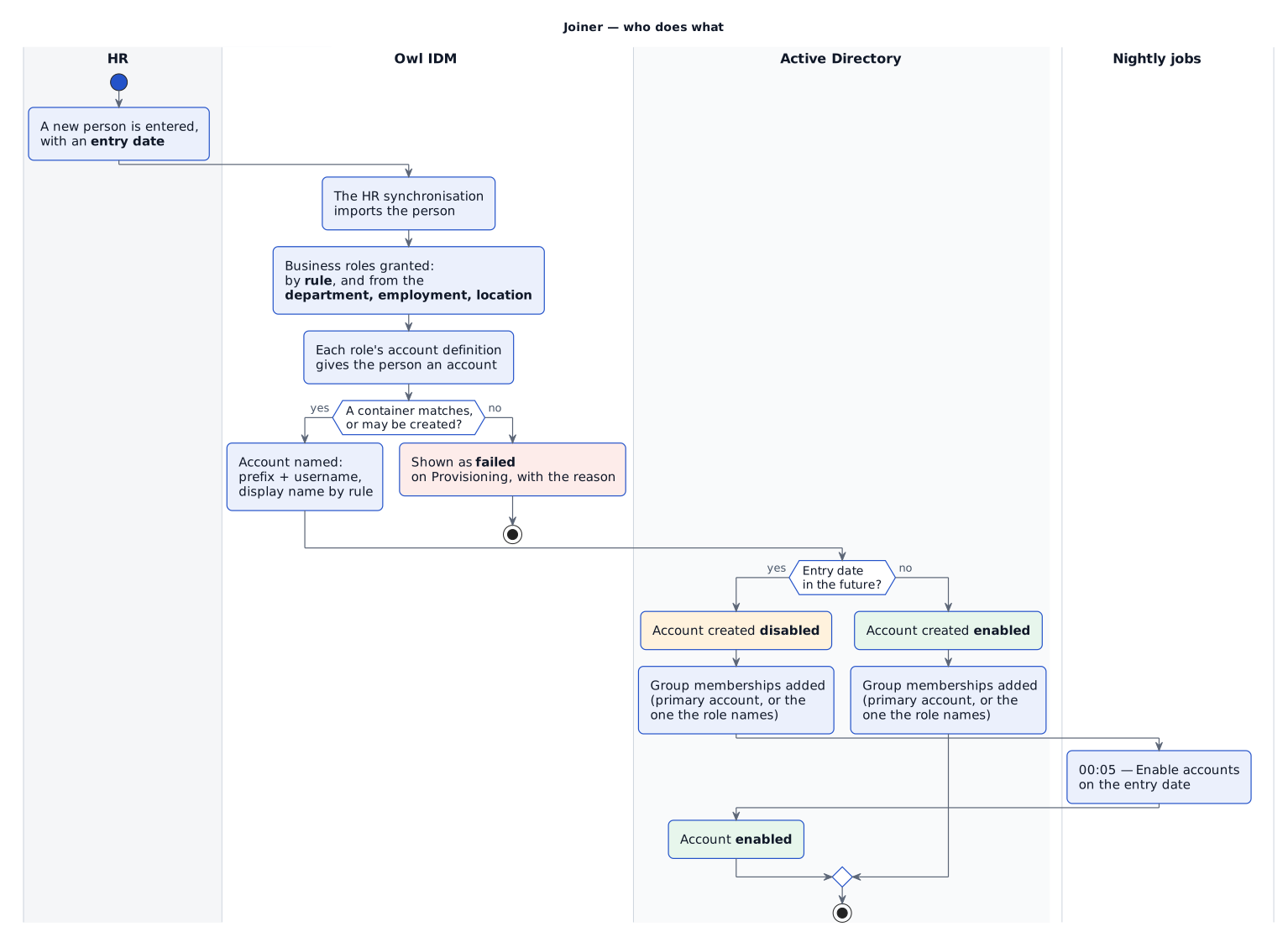
A joiner is a person who did not exist in Owl IDM before. Everything on this page follows from that one event, with no manual step in between.
1. The person arrives
The HR system is the authoritative source. Its synchronisation imports people into Owl IDM with their name, email, department, position, location — and, important for the lifecycle, their entry date and leaving date. A person can also be added by hand under Identities › Identities.
2. Deciding who gets an account
A business role can carry an assignment rule, which makes it dynamic: the rule is checked whenever the person is saved, and the role is granted or withdrawn to match. The role then grants an account definition — and with it, an account.
For example, in a demo environment:
| Business role | Assignment rule | Grants |
|---|---|---|
| Birthright AD Role | true |
AD Account Definition |
| Birthright AD Admin Role | department != null and department.name == 'IT' |
AD Admin Account |
The first is granted to everyone — an ordinary account is something every employee needs. The second only to the IT department, because an administrative account is exactly the kind of access that should not be handed out by default.
See Business roles for how to write rules.
3. Where the account is created
Each account definition decides which container (organisational unit) its accounts are created in. Three ways are available:
| Way | Behaviour |
|---|---|
| From a person attribute | Reads an attribute of the person, such as department.name, and uses the container with that name. |
| Always the same container | Every account goes into one container. |
| From an expression | An expression builds the container's distinguished name from the person's attributes. |
What happens when no container matches is up to you: fail (the default), or use the base container. Failing is the safe default — an account created somewhere nobody chose is barely better than no account, because nobody finds out. The definition can also be allowed to create the missing container.
For example, in a demo environment:
| Account definition | Created in | When nothing matches |
|---|---|---|
| AD Account Definition | The container named after the person's department, under OU=demoinc |
The container is created |
| AD Admin Account | Always OU=Owl IDM Managed Entries,OU=demoinc |
— |
The definition's page has Try it on a person, which shows where that person's account would be created under the settings on screen, saved or not. See Account definitions.
4. What the account is called
Two names matter, set in two places:
| Name | Set by | Example |
|---|---|---|
Account name (uid) |
The definition's prefix plus the person's username | victor.nikolov, adm-victor.nikolov |
Display name (cn) |
A computed field rule | Victor Nikolov, adm-Victor Nikolov |
The prefix is what lets one person hold two accounts on the same system. See Account names.
5. A joiner who has not started yet
Someone whose entry date is in the future gets their accounts created disabled. Everything can be prepared before the first day — accounts, group memberships — without the account being usable.
The dashboard shows who is about to start:
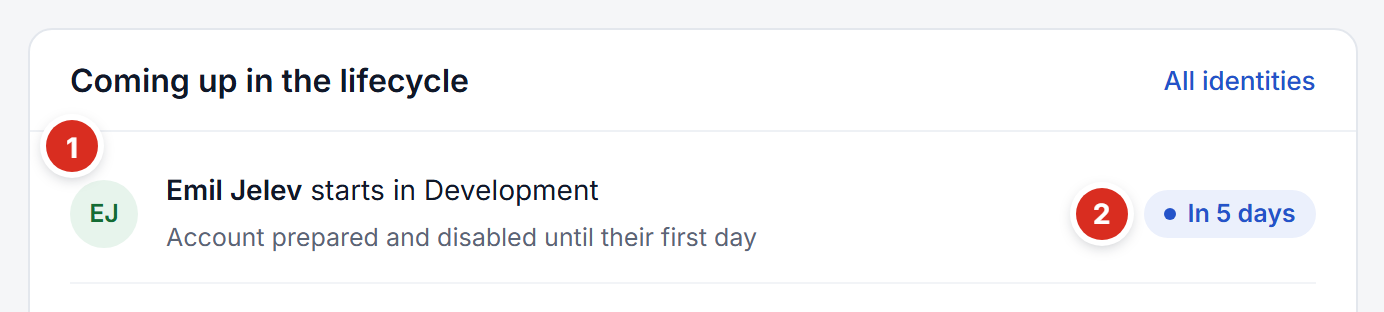
- Who starts, and where — with what has been prepared: the account exists, disabled until the first day.
- When — how many days until the entry date.
The job Enable accounts on the entry date runs every night at 00:05 and enables them. It looks for accounts that disagree with their owner rather than for people starting today, so a missed night catches up instead of skipping people.
An account is disabled while any of these is true: the person is deleted, holds a status that disables accounts (see Temporary absence), or has not reached their entry date.
6. What the joiner may do
Group memberships arrive separately from the account, by inheritance. A department, an employment (position) or a location can each carry business roles, which the person picks up automatically; those roles grant groups, and the memberships are provisioned to the target system.
For example, in a demo environment departments grant these groups:
| Department | Business role | Group |
|---|---|---|
| Compliance | Audit Access | Auditors |
| Compliance | Compliance Reviewer | Compliance-Reviewers |
| Development | Developer Access | Developers |
| Helpdesk | Helpdesk Agent | Helpdesk-Agents |
| HR | HR Admin | HR-Admins |
| IT | Developer Access | Developers |
| IT | IT Administrator | IT-Admins |
| Operations | Order Management | Order-Management |
| Operations | Warehouse Access | Warehouse-Staff |
| Recruitment | HR Recruiter | HR-Recruiters |
| Sales | CRM User | CRM-Users |
| Sales | Sales Rep | Sales-Reps |
A person's page shows all of this under Access — every role, why they hold it, and what it gave them:
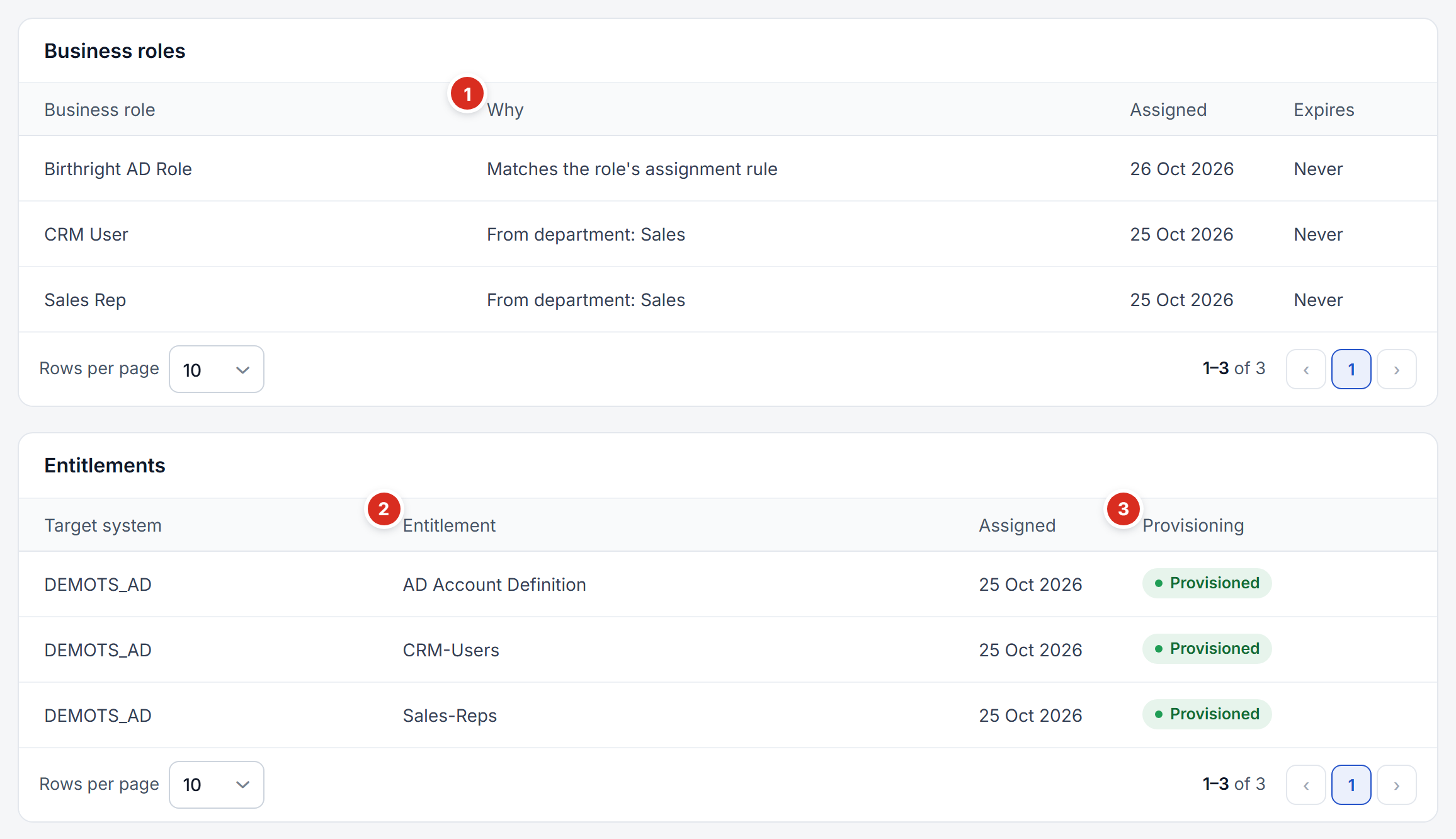
- Why — how the person got each role: Matches the role's assignment rule, From department: Sales, and so on.
- Entitlements — what the roles gave: the account definition (the account) and the groups.
- Provisioning — whether each reached the target system. A failed one shows the reason and a Retry button.
Employments carry further roles there; locations can as well, but none are set up in that example. Executive grants nothing — not every department needs standing access. See Departments, employments, locations.
7. Which account a group goes on
Once a person can hold more than one account on a system, a group has to land on exactly one of them. An ordinary group on an administrative account is noise; an administrative group on an ordinary account is privilege escalation. Owl IDM decides in this order:
- If the business role names an account definition under Entitlements apply to, the group goes to the person's account of that definition.
- Otherwise it goes to the account of the definition marked primary for that target system.
- Otherwise, if the person holds exactly one account there, it goes there.
- Otherwise the grant fails and is shown as failed, with the reason — rather than landing on an arbitrary account.
Mark exactly one definition per target system as primary; the account definitions list warns you if a system has none or more than one.