Provisioning and plans
Provisioning is Owl IDM sending a change to a target system: creating an account, adding it to a group, disabling it. Two screens show what is happening and let you act on it.
Provisioning
Connectivity › Provisioning
Everything Owl IDM is changing in your target systems, live — the page refreshes every ten seconds while it is open. Choose the last 24 hours or the last 7 days.
Totals — how many pushes are waiting, running, done, and failed, and how many target systems have open failures.
Target systems — one card per system, with its pushes over the period as bars (red where something failed), what is waiting, what failed, the last success, and the latest failure in words. Test connection checks that Owl IDM can reach the system with its saved settings.
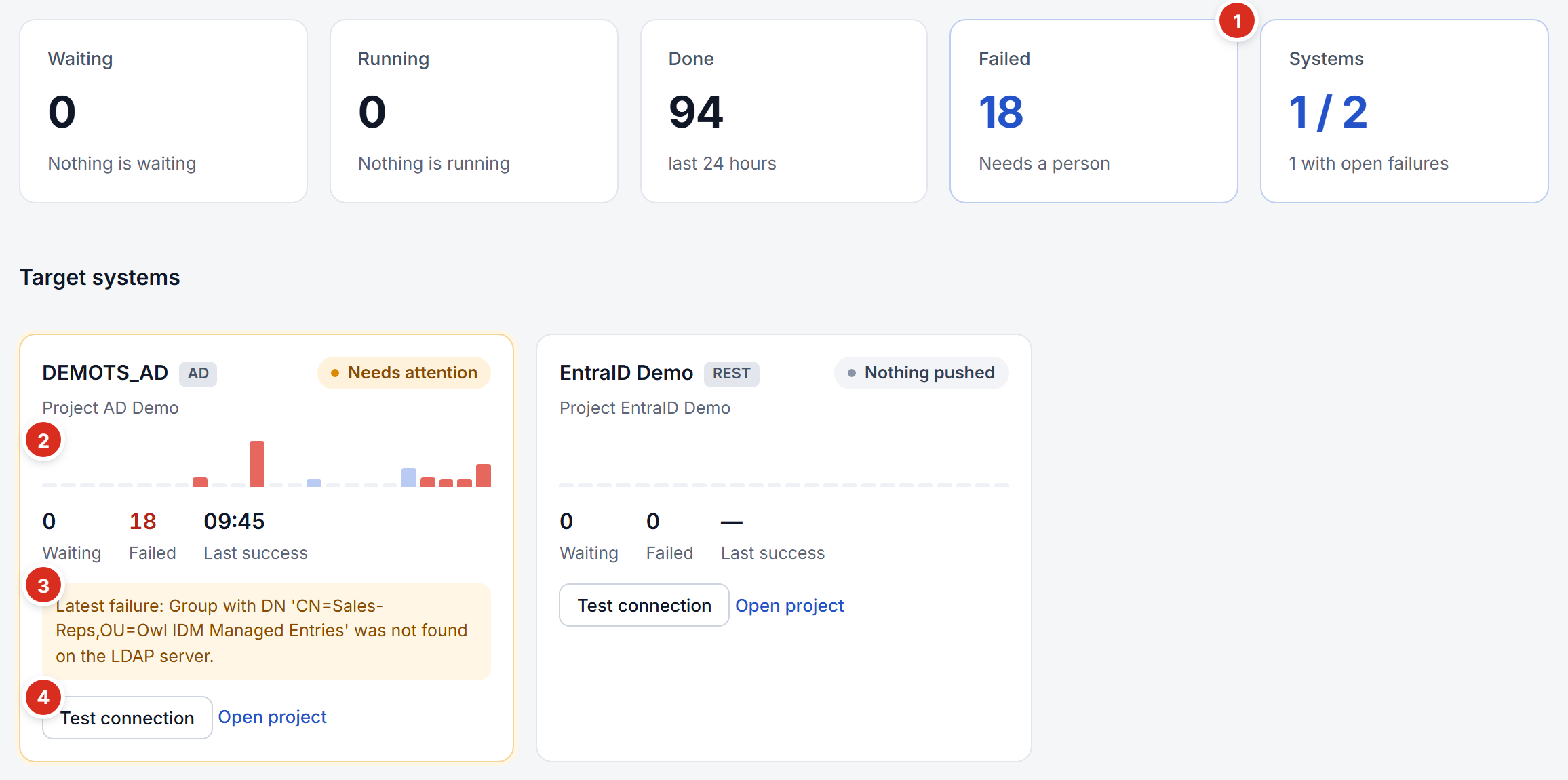
- Failed — failures nobody has fixed yet; the same number shows in red in the side menu.
- Pushes over the period — one bar per hour (or per day for 7 days); red where something failed.
- Latest failure — the reason, in words.
- Test connection — checks that Owl IDM can reach the system with its saved settings.
Operations — every push: when, what was done to what ("Update account", "Add to group", "Developers ← Emil Jelev"), for whom, and how it went. Tabs filter by Needs attention, Waiting, Running and Done. Details shows what went wrong, with links to the full report and to the person.
When something fails
A failure needs attention until a later push of the same object succeeds. The side menu shows how many there are, in red, next to Provisioning.
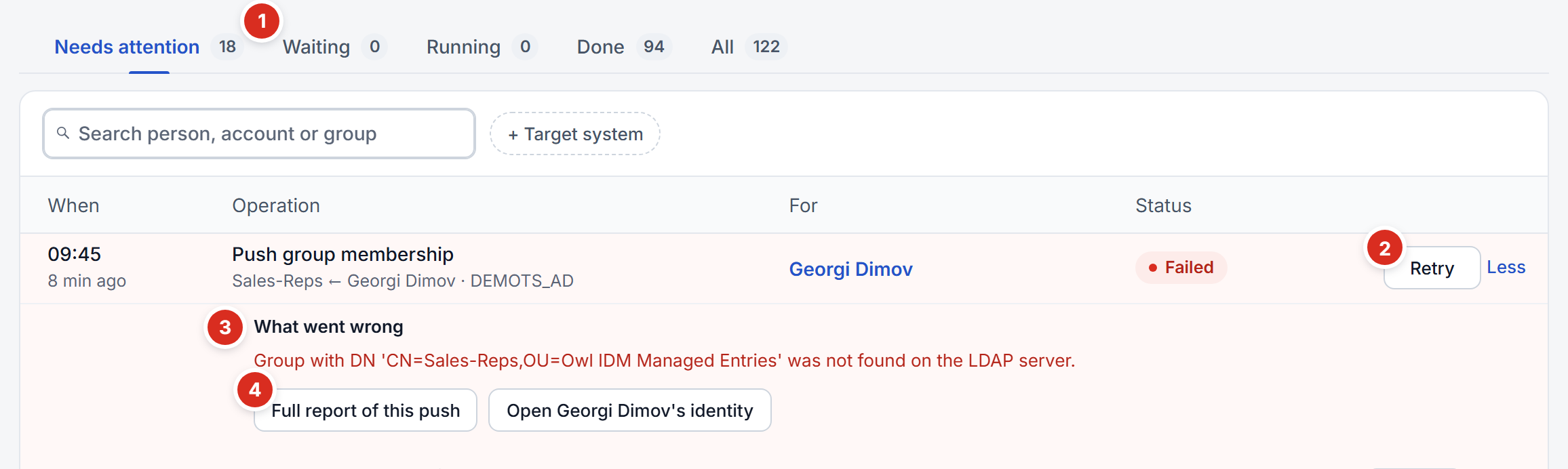
- Needs attention — the failures nobody has fixed.
- Retry — sends the object again.
- What went wrong — opened with Details on the row.
- Full report of this push — everything the push did; the button beside it opens the person.
Retry sends the object again once the cause is fixed — the container created, the person corrected, the system reachable again. Retrying into an unchanged problem simply fails again and says so. Retry N failed at the top retries them all.
A failure never takes access away silently:
- The business role stays assigned when its account cannot be created — granting access and provisioning it are separate.
- The person's entitlement is marked Failed, with a Retry button on their page, so a failure shows as a state rather than as something missing.
- The reason is recorded where you can read it, not only in a server's log.
Owl IDM records a push when it changes something or fails to. A push that finds the target system already right leaves no record — except a retry, which is always recorded, so a fixed failure can be seen as fixed.
Plans
Connectivity › Plans
Every synchronisation project's plans on one page:
- Import plans read a target system into Owl IDM — the HR system is the most important one. Run now runs one; Simulate (in the ⋮ menu) reports what it would change without changing anything.
- Provisioning plans push one kind of Owl IDM object — accounts, groups, memberships — to a target system whenever one changes.
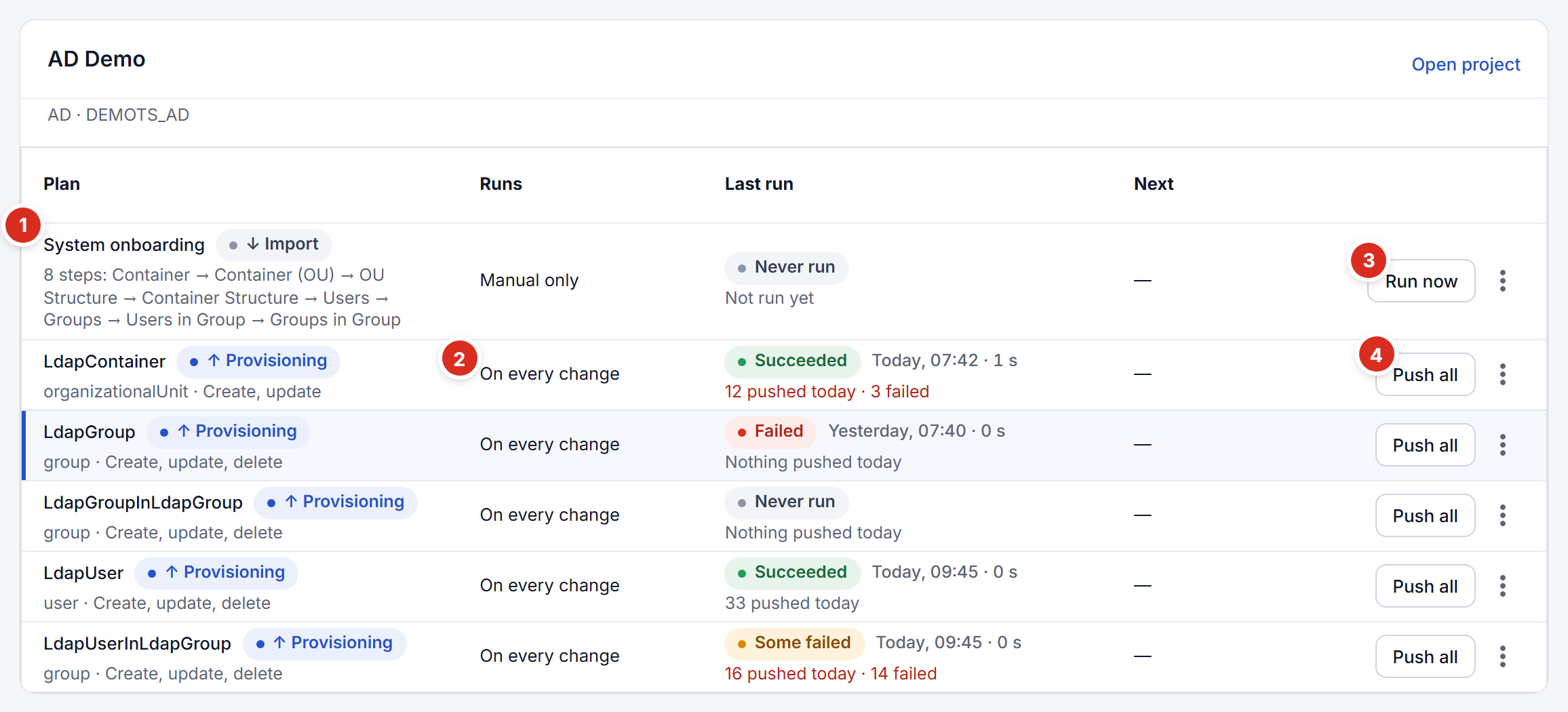
- An import plan — reads the target system into Owl IDM; run by hand here, or on a schedule.
- A provisioning plan — pushes one kind of object, whenever one changes.
- Run now — runs the import; Simulate is in the ⋮ menu beside it.
- Push all — sends every object the plan covers again. See Push all.
Select a plan to see its latest runs as bars, how long it usually takes, how often it succeeded, and what its last run did step by step — or, for a provisioning plan, its latest pushes and why any failed.
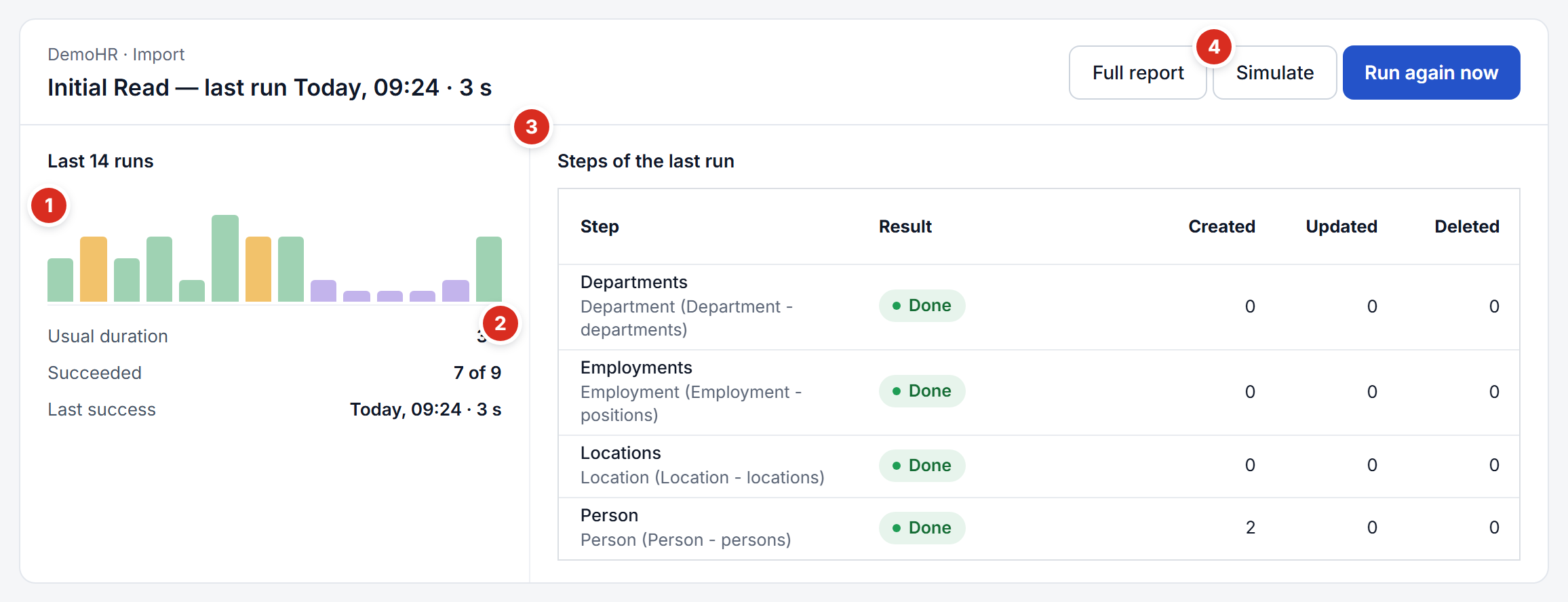
- The latest runs — height for how long each took; green succeeded, amber some failed, red failed, purple simulated.
- What they add up to — the usual duration, how many succeeded, the last success.
- Steps of the last run — what each step created, updated and deleted, and any error.
- Simulate — runs the import without changing anything.
Simulate before an import you are unsure of
A simulation reports how many people would be created, updated and deleted. If an import would delete people you did not expect, find out why before running it.
Push all
Push all on a provisioning plan sends every object it covers to the target system again, as if each had just changed. Use it when the target system has drifted from Owl IDM: a mapping was added after accounts existed, the directory was restored from a backup, or pushes failed while the system was down.
- It asks first, with the number of objects.
- Only this plan runs, and objects its condition leaves out are skipped.
- Each object is updated where it exists — only differing values are written — and created where it does not. Nothing is deleted.
- It writes for real; there is no simulation for pushes.