Temporary absence
Away is not the same as gone. Someone on parental leave, suspended, or seconded elsewhere should not be able to use their accounts — but they are coming back, and what they come back to should be what they left.
Statuses decide
A person's status carries two separate decisions: whether their accounts are disabled, and whether their group memberships are removed. They are separate because people who are away and people who have left need different treatment.
| Status | Accounts | Group memberships |
|---|---|---|
| Active | Usable | Kept |
| Temporary Disabled | Disabled | Kept |
| Vacation | Disabled | Kept |
| Maternity Leave | Disabled | Kept |
| Inactive | Disabled | Removed |
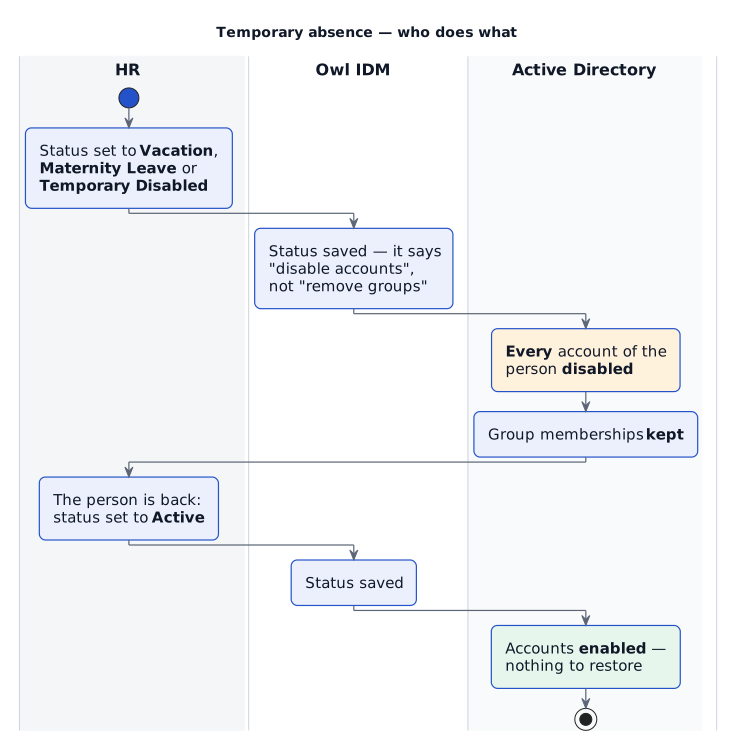
Setting one of the middle three disables every account the person holds — the ordinary and the administrative one alike — and touches nothing else. Setting the status back to Active enables them again. That is the whole return procedure.
Why the memberships stay
Nothing has to be restored on return, because nothing was taken away. A disabled account cannot be used, so its groups are harmless while their holder is away — and leaving them in place keeps Owl IDM's record of what the person holds true throughout the absence.
Changing the status
Open the person under Identities › Identities:

- The status — here Maternity Leave: their accounts are disabled, their groups kept.
- Change status — set it back to Active when they return. The change takes effect on their accounts at once.
The dashboard lists people who are currently away, so an absence that should have ended is easy to spot.
Adding your own statuses
Each status's two decisions are stored with the status itself, so a status such as Secondment or Suspended can be given its own meaning without a change to the product. There is no screen for this yet — ask IDVKM to add or change a status.