Account definitions
Access › Account definitions
An account definition is a kind of account a person can hold in a target system: what it is called, where it is created, and what happens to it when the access behind it is withdrawn. Business roles grant account definitions; a person who holds the role gets the account.
Typical examples are an ordinary account and an administrative account in the same Active Directory — two definitions, each with its own name prefix, container and retention.
The list
Each row says how the definition behaves:
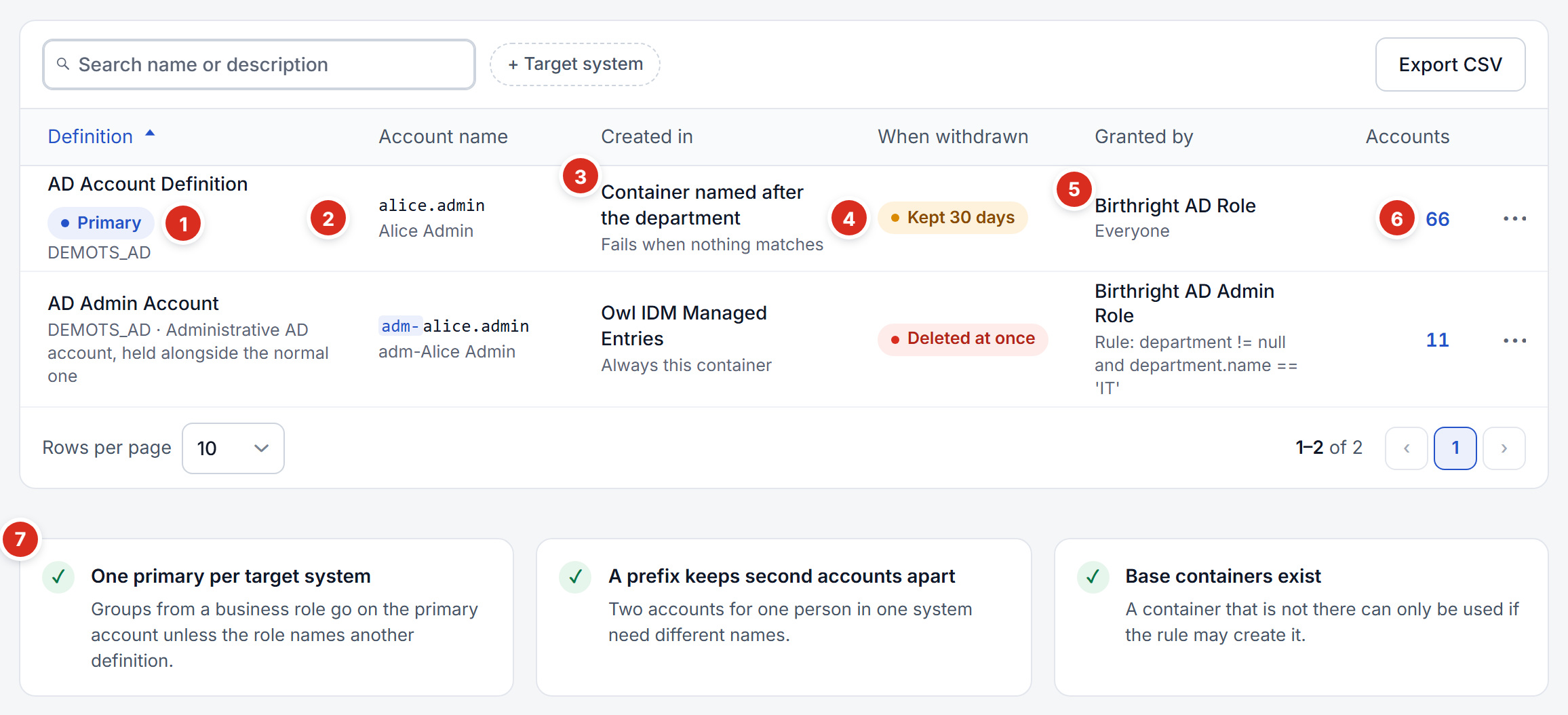
- Primary — the definition whose account gets a role's groups unless the role names another.
- Account name — the name your account of this kind would get, and its display name under it.
- Created in — where accounts are created, and under it what happens when nothing matches.
- When withdrawn — Kept N days (amber) or Deleted at once (red).
- Granted by — the business role that grants it, and that role's rule: Everyone for a rule that matches everybody.
- Accounts — how many accounts it has created; the number opens Account review.
- Checks — what is wrong with the set as a whole, below.
Checks
Under the list, three checks look at all definitions together, because these mistakes only show when the set is wrong rather than one definition:
- One primary per target system — groups from a business role go on the primary account unless the role names another definition. A system with no primary, or two, is reported.
- A prefix keeps second accounts apart — two definitions on one system that would give a person the same account name are reported.
- Base containers exist — a base container that is not among the containers synchronised from the target system is reported, unless the definition may create it.
Editing a definition
Open a definition to edit it on its own page. Nothing changes until you press Save changes; Discard throws your edits away.
General
Name, Target system and Description. The target system is fixed once the definition has accounts — moving it would leave those accounts under a definition that no longer describes them.
Account name
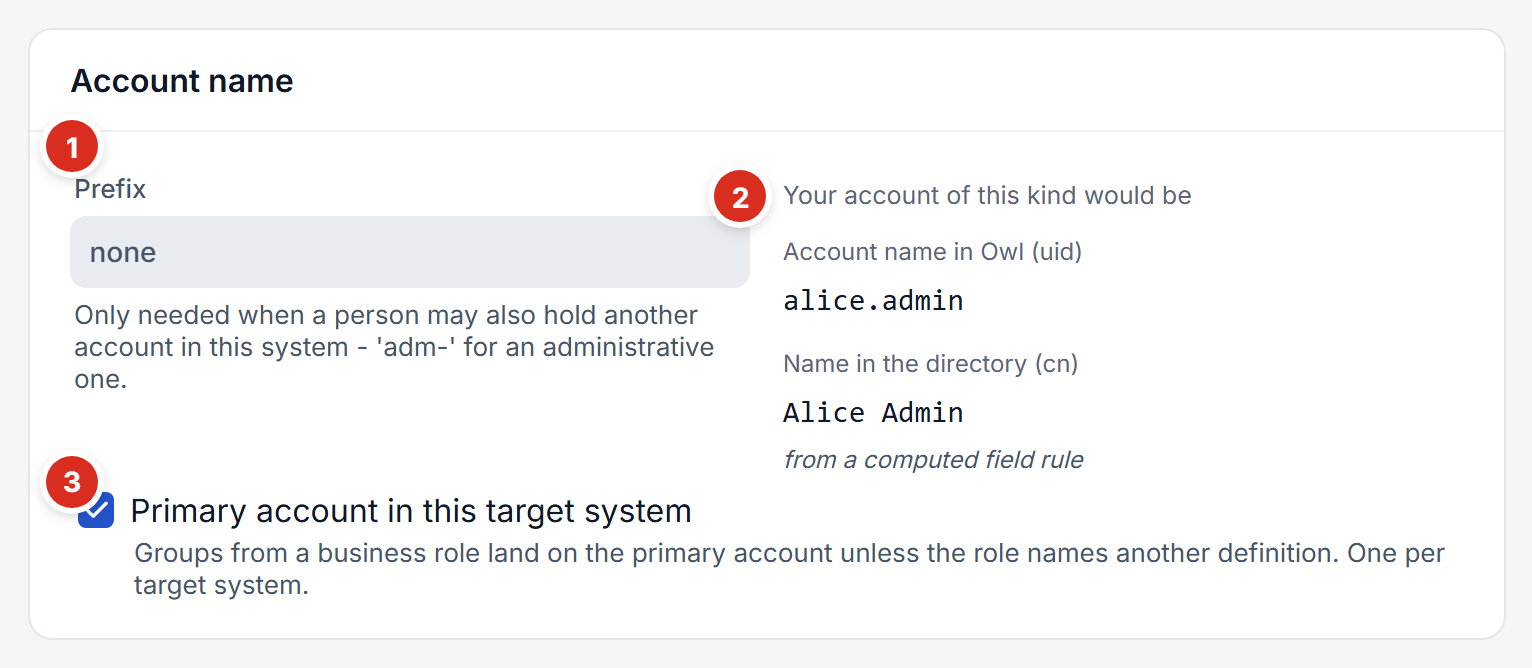
- Prefix — put in front of the person's username, for example
adm-. Only needed when a person may hold another account in the same system. - Your account of this kind would be — as you type, the names your own account would get: the account name, and the display name the computed field rules make of it. See Account names.
- Primary account in this target system — groups from a business role land on this account unless the role names another definition. Exactly one per target system; Save refuses a second.
Where accounts are created
Choose how the container is chosen:
| Choice | Settings it uses |
|---|---|
| From a person attribute | Person attribute (such as department.name or location.name), matched against the container's name or distinguished name |
| Always the same container | Container |
| From an expression | Expression, producing a distinguished name, for example 'OU=' + department.name + ',DC=demoads,DC=local' |
and how it behaves:
| Setting | Effect |
|---|---|
| Base container | A distinguished name. Matching looks only at the containers directly beneath it. Under the field, the page says whether Owl IDM knows a container by that name. |
| When nothing matches | Fail (default) or use the base container. |
| Create the container if it does not exist | Creates the missing container under the base container. |
| Move an account when the person's attribute changes | Off by default. See Mover. |
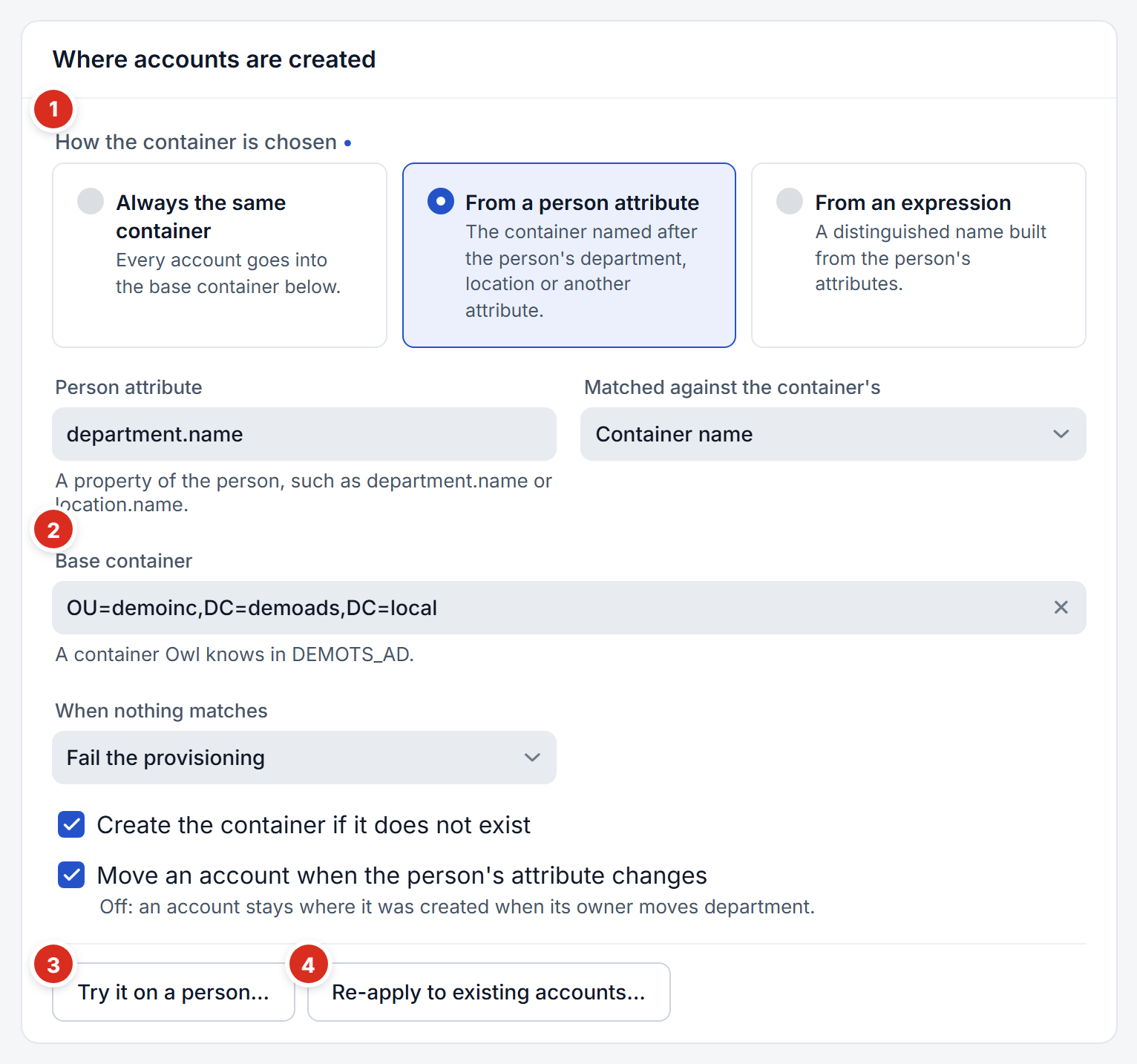
- How the container is chosen — the three ways above; the fields under it change with the choice.
- Base container — the line under it says whether Owl IDM knows a container by that name in the target system.
- Try it on a person — where a chosen person's account would be created, and why, using the settings on the page — saved or not. It never creates anything.
- Re-apply to existing accounts — see below.
Re-apply to existing accounts applies the saved rule to the accounts this definition has already created. It lists every move first — account, from, to — and moves them only when you confirm. A move changes the account's distinguished name, which the directory records as a rename.
When access is withdrawn
- Delete it at once — nothing is left behind, and nothing can be brought back.
- Keep it for a while — set the number of days. The account is disabled and stripped of its groups at once and deleted later; granting it again in the meantime brings the same account back.
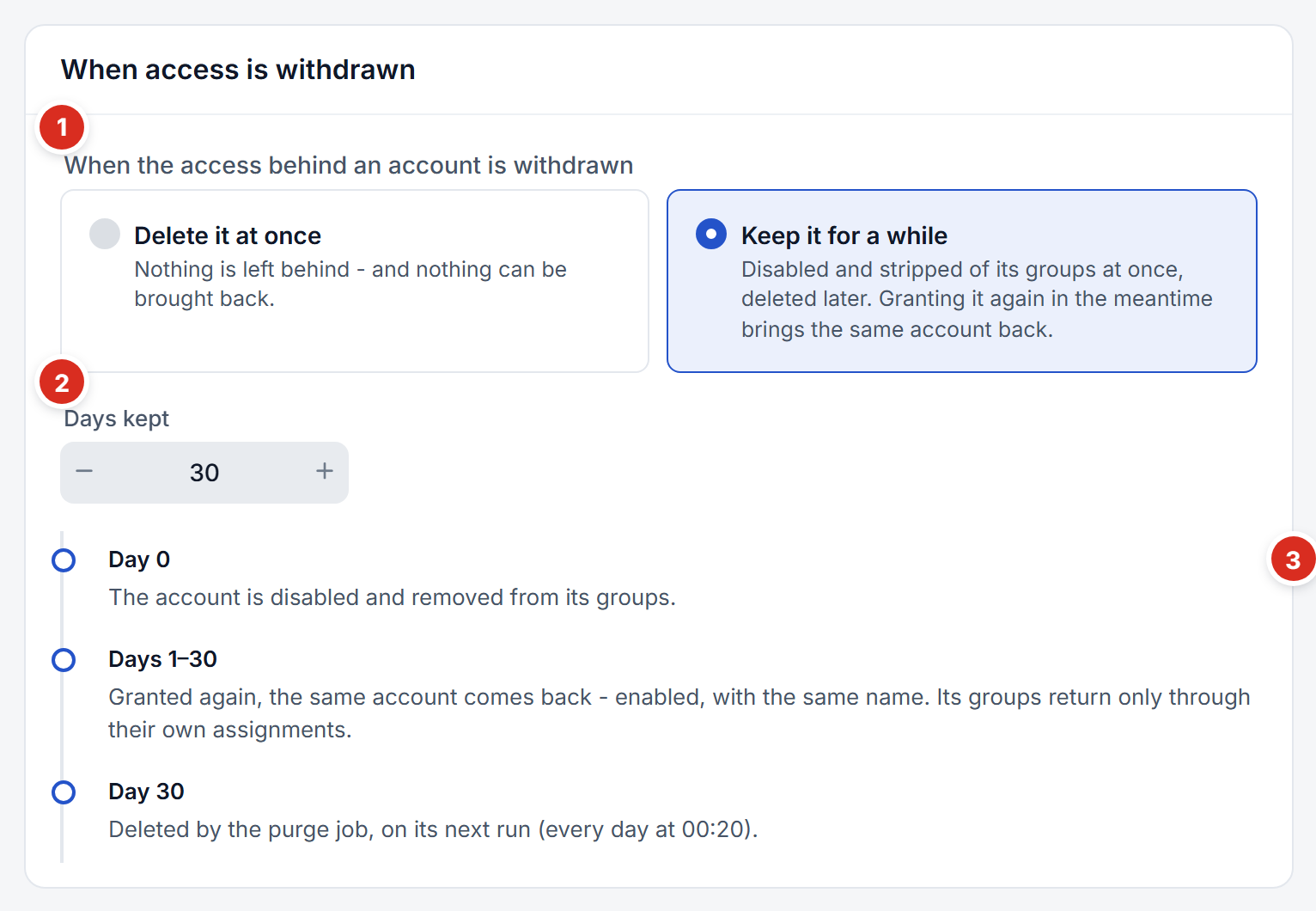
- The choice — delete at once, or keep for a while.
- Days kept — how long a withdrawn account stays before it is deleted.
- What happens, day by day — drawn from the settings, down to when the nightly purge will delete the account. See Leaver.
On the side
- Granted by — the business roles that grant this definition, and which roles send their groups to its accounts.
- Accounts — how many are in use, withdrawn and waiting to be deleted, or disabled.
- Recent changes — who changed the definition, and when.
- Delete — only possible once nothing uses the definition: no accounts, and no business role that grants it or sends groups to it.
Adding a definition
Press New account definition on the list. Name and target system are required; everything else has a sensible default (accounts created in the container named after the department, failing when there is none; deleted at once when withdrawn). Then grant it from a business role.