Mover
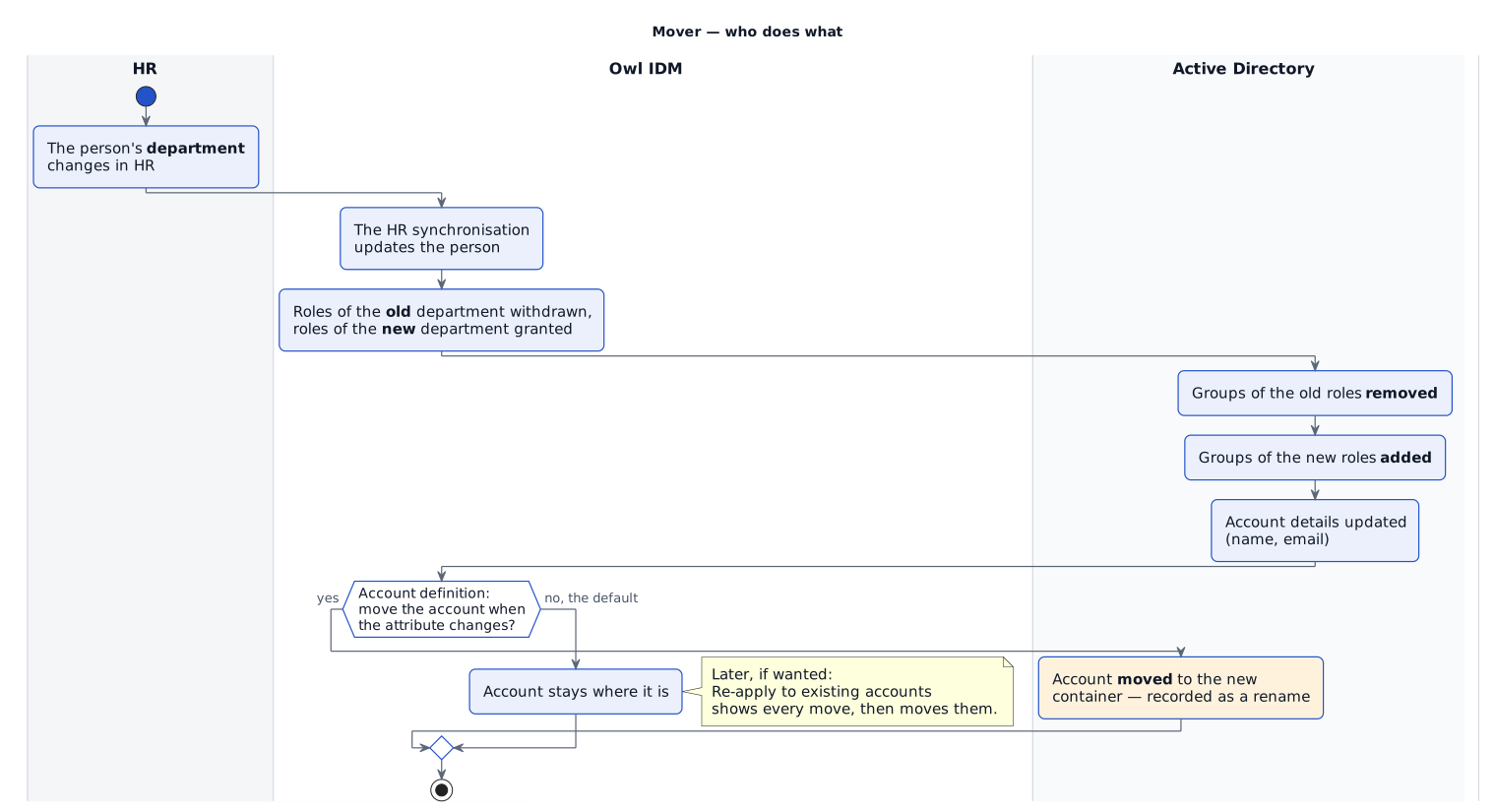
A mover is a person whose details change — most often their department or position. Three things follow, and the fourth only if you choose it. The difference is the most commonly misread part of the process.
| What changes | Follows automatically? | How |
|---|---|---|
| Business roles | Yes | Roles inherited from the old department are withdrawn and the new department's are granted, when the person is saved. |
| Group memberships | Yes | Groups follow their roles; both removals and additions are provisioned. |
| Account details | Yes | Name, email and whether the account is enabled are updated when a detail the account carries changes. |
| Where the account is | Only if switched on | Move an account when the person's attribute changes on the account definition, off by default. |
Why moving an account is opt-in
Moving an account changes its distinguished name, and a directory records that as a rename. Anything that holds the old name has to cope with it. That is a decision for each installation to make deliberately, so it is a switch rather than a default.
A save that changes nothing does nothing
Owl IDM only updates accounts when something they carry has changed. Opening a person and pressing Save without changing anything provisions nothing — on purpose, so the provisioning log shows changes rather than attempts.
Re-applying a placement rule to existing accounts
A placement rule is only consulted when something happens to a person. Changing the rule therefore does nothing to accounts that already exist.
Re-apply to existing accounts, on the account definition's page, closes that gap. It first shows what it would do — which accounts, from where, to where — and only then offers to move them. It ignores the move on change switch, because that switch is a standing policy, while re-applying is a deliberate action taken with the consequences on screen.
Accounts without an owner are reported rather than moved: there is no person to evaluate the rule against.
Pushing everything again
If accounts in a target system have drifted from Owl IDM — a mapping was added after accounts existed, or the directory was restored from a backup — Push all on Connectivity › Plans sends every object of a plan again. See Provisioning and plans.